Full Review Ashampoo Photo Optimizer
Overview
Ashampoo Photo Optimizer is a photo editing software designed for users who want to improve their images quickly and without complicated editing tools. The software has gained positive attention among casual photographers, content creators, bloggers, and users looking for a fast way to optimize their photos.
Unlike more advanced editing suites, Ashampoo Photo Optimizer focuses heavily on simplicity and automation. The software is especially suitable for users who want to enhance image quality with minimal effort while still having access to practical manual editing tools when needed.
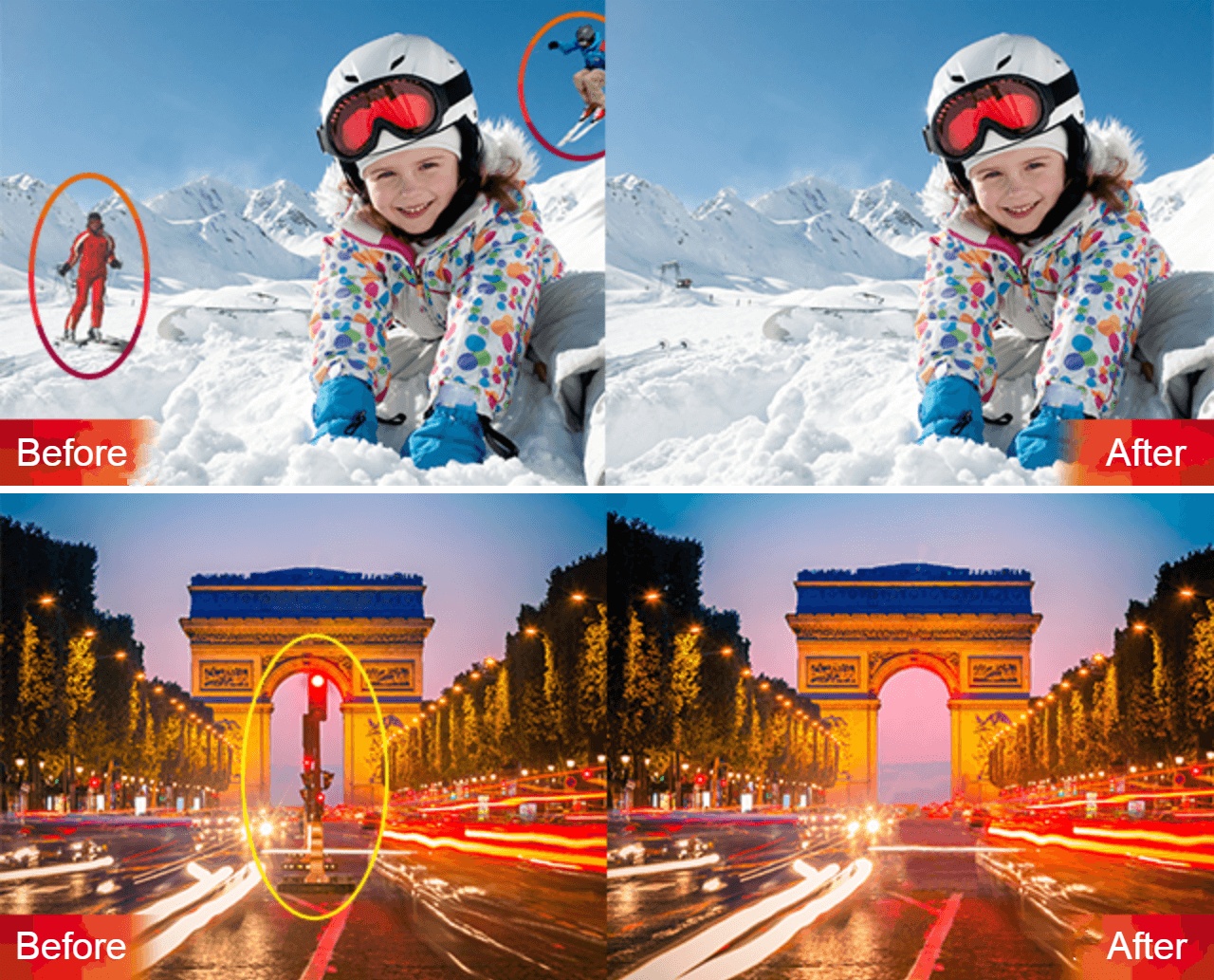
One of the biggest highlights of Ashampoo Photo Optimizer is its intelligent 1-click optimization technology. With a single click, the software automatically analyzes photos and improves brightness, contrast, sharpness, and color balance to create more visually appealing results.
The software is available for Windows systems and can be installed within minutes. Users can test the software before purchasing, allowing them to explore its features and overall performance without a large commitment upfront.
Ashampoo Photo Optimizer is particularly useful for users who want to improve travel photos, portraits, social media pictures, or older images without spending hours learning professional editing software.
Before diving deeper into the software, here are some features that make Ashampoo Photo Optimizer stand out:
- Fast 1-click photo optimization
- Beginner-friendly interface
- Automatic brightness and color correction
- Batch processing for multiple images
- Practical manual editing tools
Performance data - Ashampoo Photo Optimizer
| Feature | Value |
|---|---|
| Image editing | |
| Image formats | |
| Image quality | |
| Effect selection | |
| Installation process | |
| User-friendly |
- Beginner-friendly photo optimization software
- Fast 1-click enhancement for better-looking images
- Automatically improves color, contrast, and brightness
- Batch processing for editing multiple photos quickly
- Simple editing tools for cropping and quick adjustments
- Free trial available on the official website
- Customer support mainly handled online
- Automatic optimization may vary between photos
- Interface can feel limited for experienced editors
Prices and conditions
Overview
Ashampoo Photo Optimizer is a photo editing software designed for users who want to improve their images quickly and without complicated editing tools. The software has gained positive attention among casual photographers, content creators, bloggers, and users looking for a fast way to optimize their photos.
Unlike more advanced editing suites, Ashampoo Photo Optimizer focuses heavily on simplicity and automation. The software is especially suitable for users who want to enhance image quality with minimal effort while still having access to practical manual editing tools when needed.
One of the biggest highlights of Ashampoo Photo Optimizer is its intelligent 1-click optimization technology. With a single click, the software automatically analyzes photos and improves brightness, contrast, sharpness, and color balance to create more visually appealing results.
The software is available for Windows systems and can be installed within minutes. Users can test the software before purchasing, allowing them to explore its features and overall performance without a large commitment upfront.
Ashampoo Photo Optimizer is particularly useful for users who want to improve travel photos, portraits, social media pictures, or older images without spending hours learning professional editing software.
Before diving deeper into the software, here are some features that make Ashampoo Photo Optimizer stand out:
- Fast 1-click photo optimization
- Beginner-friendly interface
- Automatic brightness and color correction
- Batch processing for multiple images
- Practical manual editing tools
Installation & Set-up
Getting started with Ashampoo Photo Optimizer is simple and straightforward. Users can download the installation file directly from the official Ashampoo website and complete the setup process in only a few minutes.
Once downloaded, the installer guides users through the installation automatically. The software requires minimal system resources and works smoothly on most modern Windows computers and laptops.
After installation, users can launch the software immediately and begin improving their images. The interface is clearly structured, making navigation easy even for users with little or no editing experience. During testing, the installation process completed quickly without unnecessary setup steps or bundled applications. The software was ready to use shortly after installation.
Ashampoo Photo Optimizer: What You Need To Know
Ashampoo has been active in the software industry for many years and is known for developing accessible applications for everyday users. With Photo Optimizer, the company focuses on delivering a lightweight and easy-to-use image enhancement solution for Windows users.
The software can be used for several editing tasks including image enhancement, brightness correction, color optimization, cropping, rotation, and perspective adjustments. Thanks to the automatic optimization engine, users can noticeably improve photos without manually adjusting every setting themselves.
One of the strongest aspects of the software is its simplicity. Users who do not want to spend time learning complicated editing techniques can still achieve visually improved images within seconds. During testing, the automatic optimization performed especially well on underexposed and low-contrast images. Colors appeared more vivid while maintaining a natural overall look.
Ashampoo Photo Optimizer also includes batch processing capabilities, allowing users to optimize larger photo collections much faster. This is especially useful for users managing travel albums, event photos, or social media content. If you are looking for a lightweight photo enhancement tool focused on speed and convenience rather than overly complicated editing workflows, Ashampoo Photo Optimizer is a practical option worth considering.
Ashampoo Photo Optimizer: Are There Specific Features That Stand Out?
The main reason many users choose Ashampoo Photo Optimizer is the combination of automatic image enhancement and practical editing tools. Some of the most useful features include:
1-Click Optimization
The software automatically analyzes photos and adjusts brightness, contrast, sharpness, and color settings. This allows users to improve images within seconds without complicated editing processes.
Batch Processing
Users can edit multiple images simultaneously using the batch optimization feature. This saves time when working with larger image collections and helps maintain consistent editing results.
Cropping and Rotation Tools
Ashampoo Photo Optimizer includes useful tools for cropping, rotating, and straightening images. These functions are easy to access and suitable for quick adjustments.
Color and Contrast Adjustment
Users can manually fine-tune brightness, saturation, contrast, and color temperature to achieve more personalized editing results.
Perspective Correction
The software includes perspective correction tools that help improve distorted lines and enhance the appearance of landscape or architectural photos.
Simple Navigation
One of the biggest strengths of the software is its clean and beginner-friendly interface. Most editing functions can be accessed directly from the main screen without navigating through complicated menus.
User-friendliness and Compatibility
Ashampoo Photo Optimizer is designed primarily for Windows users and offers a clean, modern, and intuitive interface. The software focuses heavily on accessibility, making it suitable even for beginners with no previous editing experience.
Most tools are clearly labeled and easy to understand. The interface avoids unnecessary complexity and allows users to focus on improving their photos quickly.
While professional editors may prefer more advanced editing suites, many casual users will appreciate the simplicity and speed offered by Ashampoo Photo Optimizer.
The software performs reliably on compatible Windows systems and requires relatively low hardware resources compared to larger editing programs.
| Device | Compatibility |
| Android | N/A |
| iPhones | N/A |
| Windows | Application |
| MacOS | Application |
Customer Service
Ashampoo provides customer support through its official website and online contact system. Users can access helpful information regarding installation, licensing, downloads, and product usage through the support section.
The website also includes FAQs and additional resources that help users solve common issues without requiring direct support assistance. During research, the support structure appeared organized and easy to navigate. Users looking for setup guidance or troubleshooting information can usually find answers quickly through the available documentation.
Conclusion
Ashampoo Photo Optimizer is a solid image enhancement software for users who want fast and uncomplicated photo editing tools. The software performs especially well when it comes to automatic image optimization and quick editing workflows.
Its biggest strengths are the practical 1-click optimization feature, beginner-friendly interface, and smooth overall performance. At the same time, users still have access to manual editing options for additional customization. For casual photographers, bloggers, social media users, and anyone looking to improve images without learning advanced editing software, Ashampoo Photo Optimizer offers a convenient and easy-to-use solution.